29 CFR 1904 recordkeeping

OSHA recordkeeping software.From log to summary.

300log keeps the OSHA 300 Log, 301 incident reports and 300A annual summary for every establishment in one workspace, then gets them to OSHA's Injury Tracking Application (ITA) as a CSV you upload, or files them for you through OSHA's API as soon as you authorize.

Free for one establishment with no injury or illness cases. Incident logging requires a paid plan. Sign up with Google or email; no card needed to start. Compare plans

  • OSHA 300 · 301 · 300A
  • ITA CSV + official API filing
  • Posting & Mar 2 email reminders
  • Installable app
Isometric scale model of an industrial campus with a warehouse, construction tower crane, manufacturing hall and first-aid clinic, with blank OSHA forms floating above
Example OSHA 300 log: three cases — a back strain with days away from work (column H), a needlestick recorded as a privacy case (column J) and a wrist sprain with job restriction (column I). Totals: 3 recordable cases, 2 DART cases. With an example 240,000 hours worked, the 300A total recordable case rate is 2.50.

OSHA recordkeeping guides by 29 CFR Part 1904 section

The filing calendar

The recordkeeping year, on one dial.

Every fixed OSHA recordkeeping date sits on the same twelve-month cycle. See where today falls, what's due next, and put every deadline on your calendar in one step. On a paid plan, 300log also emails you when to post the 300A (by February 1), before the March 2 ITA deadline if you haven't filed yet, and when it can come down after April 30.

Fig. 01 · Recordkeeping year

Days until ITA

—

March 2 each year

for last year's data

  • Today
  • 300A posted
  • ITA deadline
  • Close / new log

The 300A goes up February 1 and stays up through April 30. Electronic submission is due March 2.

Next four dates

29 CFR 1904

  1. JAN

    01

    Start the new OSHA 300 log

    29 CFR 1904.32(a)

    Yearly
  2. FEB

    01

    Post last year's 300A summary

    29 CFR 1904.32(b)(6)

    Yearly
  3. MAR

    02

    Submit last year's data to OSHA ITA

    29 CFR 1904.41(c)

    Yearly
  4. APR

    30

    Keep the 300A posted through April 30

    29 CFR 1904.32(b)(6)

    Yearly
Open the filing calendar

One .ics file for Google Calendar, Outlook, or Apple Calendar, with a reminder a week before each date. March 2 has no weekend rollover.

Rolling clocks

Some clocks start the moment you hear about a case.

The dial holds the fixed dates. These windows start when something happens: an injury, a severe event, or a records request.

How it works

From the floor to the filing in three moves.

An incident happens on the shop floor. Months later it has to add up on a certified summary and reach OSHA. 300log carries the case the whole way.

Step 01 · Record

Record what happened while it's fresh

Enter the case on the 300 log and finish the 301 incident report within seven calendar days of learning about it. The guided wizard asks OSHA's questions in OSHA's order.

  • Step-by-step 301 wizard: what happened, the injury, the object or substance
  • Case numbers, privacy cases, and day counts kept per establishment
  • Forms generated in English or Spanish

Example · Warehouse picker, laceration, day 2 of 7

Step 02 · Classify

Classify it the way OSHA does

Work-related? A new case? Which recording criteria apply? The most serious outcome sets the 300 log column, and the case type fills M1–M6 on the summary.

  • Outcome places the case in column G, H, I, or J
  • Injury and illness types roll up into the 300A
  • A free recordability checker for the borderline cases

Example · Shoulder strain, four days of light duty, column I

Step 03 · File

Total, certify, post, submit

The 300A totals come straight from the log. A company executive certifies it, you post it February 1, and the data reaches OSHA's Injury Tracking Application by March 2.

  • 300A totals calculated from your 300 log
  • Print-ready PDF packet with certification fields
  • Automatic ITA filing with your own token as soon as you authorize, or ITA CSV export

Example · One establishment's 2026 summary

Recordability, worked through

Is it recordable? Try a real scenario.

Stitches or a butterfly bandage. A parking-lot fender bender or a needlestick. Pick a case and watch the same rules the workspace uses decide whether it goes on the OSHA 300 log, and in which column.

Pick a scenario · Examples

Decision path

29 CFR 1904.4–1904.11

  1. Your employee?

    Pending: Yes · 1904.31

    Exit if not: Off your log
  2. Work-related?

    Pending: Yes · event at work

    Exit if not: Not work-related
  3. An exception applies?

    Pending: None apply

    Exit if not: Excluded
  4. A new case?

    Pending: Yes · 1904.6

    Exit if not: Update old entry
  5. Recording criteria met?

    Pending: Sutures = medical treatment

    Exit if not: First aid only
  6. OSHA 300 column

    Pending: Other recordable cases

RecordableExample scenario

Recordable

A box edge slices a warehouse picker's palm. The clinic closes it with sutures.

OSHA 300 · column J

Other recordable cases

  • Meets the general recording criteria: medical treatment beyond first aid.
  • Enter it on the OSHA 300 and complete a 301 within 7 calendar days.

Guidance, not legal advice. Scenarios are simplified examples of 29 CFR 1904.4–1904.11; real cases can turn on details.

Check your own case

Incidence rates

Know your TRIR before a customer asks.

Bid forms, insurers, and general contractors ask for it. Enter three numbers from your 300A and see your total recordable and DART rates next to the national private-industry average.

BLS TRIR · 2024
2.3
BLS DART · 2024
1.4

Your 300A numbers

Example values

≈ 190 full-time employees

Fig. 03 · Total recordable rate

Per 100 FTE

0123456+BLS 2.3SAFERMORE CASES

2.11

TRIR · total recordable incident rate

Within 10% of the BLS private-industry average of 2.3.

DART days away, restricted, transferred

1.05

Below the private-industry DART of 1.4.

TRIR= (4 × 200,000) ÷ 380,000 = 2.11

DART= (2 × 200,000) ÷ 380,000 = 1.05

Benchmarks: BLS Survey of Occupational Injuries and Illnesses, 2024 data, private industry, cases per 100 full-time workers. Your industry's average may be higher or lower. BLS table (opens bls.gov in a new tab)

Full rate calculator

Automatic ITA filing

Authorize once. We submit the 300A to OSHA for you.

Connect the API token from your OSHA Injury Tracking Application account and authorize the certified 300A. 300log submits it right away, retrying automatically whenever OSHA's system is down.

Due March 2 · 29 CFR 1904.41

Fig. 04 · Automatic submissionExample data
  1. The certified 300A is authorized for filing and its data snapshot is locked.
  2. Your verified OSHA ITA API token is used to submit it.
  3. 300log submits it right after you authorize. If OSHA's system is unavailable, it retries automatically.
  4. When OSHA accepts the submission, the confirmation and submission ID are recorded.
  • Your token, connected once

    You create the API token in your own OSHA ITA account, signed in with Login.gov, and paste it once. It is verified with OSHA, stored encrypted, and only the last four characters are ever shown. Remove it any time.

  • Locked to what you certified

    Authorizing runs the same checks as the PDF packet and locks a snapshot of the 300A. Only that snapshot is sent. If the records behind it change afterwards, the workspace flags it so you can authorize again.

  • Filed when you authorize, retried when OSHA is down

    300log submits it right after you authorize (before January 2, as soon as the ITA opens) and tries again automatically when the ITA is unavailable. When OSHA accepts it, you see OSHA's submission ID and get it by email; OSHA also emails its own confirmation to your ITA account.

Prefer to upload it yourself? The ITA-format CSV export stays one click away in Files, whether or not auto-filing is on.

Industries · 29 CFR 1904

Built for workplaces where safety comes first.

Part 1904 reads the same on a scaffold and on a ward. The hard calls don’t. Here are a few your team will meet, and what the rule says about each.

  • Scale model of a manufacturing floor with machining centres, a conveyor and an eyewash station

    Manufacturing

    1. An annual audiogram shows a standard threshold shift.

      Record it if the shift averages 10 dB or more and hearing is 25 dB or more in that ear, unless a retest within 30 days doesn’t confirm it.

      § 1904.10
    2. A metal sliver lands in an operator’s eye.

      Flushed out or lifted with a cotton swab, it’s first aid. Removed any other way, it’s medical treatment and recordable.

      § 1904.7(b)(5)
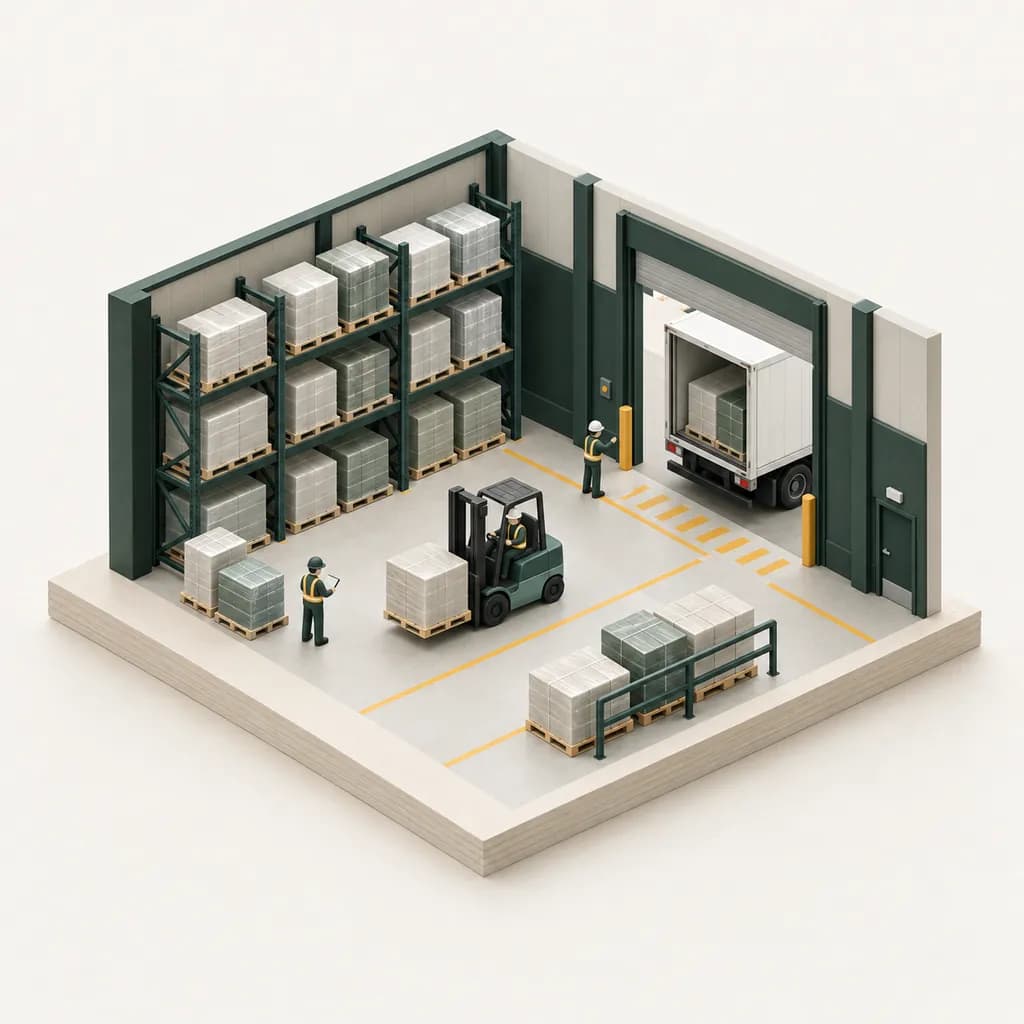
  • Scale model of a distribution warehouse with pallet racking, a forklift and a loading dock

    Warehousing & logistics

    1. A forklift operator strains a shoulder and goes on light duty.

      If they can’t do the routine functions of their job, it’s a column I case. Count the restricted days in column L.

      § 1904.7(b)(4)
    2. A temp from a staffing agency is hurt on your dock.

      If your supervisors direct their work day to day, the case goes on your log, not the agency’s.

      § 1904.31(b)(2)
  • Scale model of a hospital ward with a patient bed, IV stand, sharps container and nurse station

    Healthcare

    1. A nurse is stuck by a used needle.

      Always recordable, and always a privacy case: the log says “Privacy Case” where the name would go.

      § 1904.8
    2. Staff cared for a patient with active TB.

      If an exposed employee later has a positive skin test or diagnosis, record it as a respiratory condition.

      § 1904.11
All recordkeeping guides

The ledger

Everything 29 CFR 1904 asks for, in one ledger.

Each entry is something the workspace does today. The chip on the right is the rule it answers to, linked to the text on osha.gov.

Forms
300 · 300A · 301
Exports
PDF · CSV · ITA
Languages
EN · ES
  1. 01

    OSHA 300 log

    One line per recordable case: outcome columns G–J, days away and restricted, injury or illness type.

    § 1904.29
  2. 02

    OSHA 301 incident wizard

    A step-by-step incident report, tied to its log line by case number.

    § 1904.29
  3. 03

    300A summary

    Totals the log, adds hours and average employees, and records the executive certification for posting.

    § 1904.32
  4. 04

    Privacy-case handling

    Flag a privacy concern case and the log prints “Privacy Case” in place of the employee’s name.

    § 1904.29(b)(6)
  5. 05

    Multiple establishments

    A separate log and 300A for each site, with its own address, NAICS code and hours worked.

    § 1904.30
  6. 06

    Users & roles

    Add teammates as users or administrators, so the right people can edit, review and export.

    Workspace
  7. 07

    PDF packets & CSV exports

    Download the 300, 300A and each 301 as PDFs, plus log CSVs and ITA-format CSVs ready to upload.

    § 1904.41
  8. 08

    ITA API filing, on your say-so

    Connect your own ITA API token and authorize the 300A. 300log files it right away and retries automatically if the ITA is down.

    § 1904.41
  9. 09

    Spanish-language forms

    Produce the official forms and CSV headers in English or Spanish.

    Workspace
  10. 10

    Five-year record access

    Export any year as a complete packet to keep for the five years after that year ends.

    § 1904.33
Citations: 29 CFR Part 1904, Recording and reporting occupational injuries and illnessesTotal entries10

Phone & desktop

Log it from the floor. Install it like an app.

The person who sees the injury is rarely at a desk. 300log works on the phone in their pocket, with controls that feel native, not a desktop page squeezed small.

  • Opens straight to your log

    Install it once and it launches full-screen from the home screen or dock, right into the workspace. No bookmarks, no browser bars.

  • Controls built for thumbs

    On phones, bottom sheets, a tab bar and a one-tap New incident button replace desktop menus, with tap targets of at least 44 px.

  • The same log on every device

    Your records are saved to your account, so a case logged on the floor from a phone is on the office computer too. Sign in (Google or email) on each device; it needs a connection to load and save.

ExampleLogging a new case on a phone

Free · No app store

Install 300log

Runs in any modern browser. Install it from Chrome, Edge or Safari.

From the guides

Plain answers to the questions that stall a log.

Written from the regulation text, with the citation next to every rule. Start with the three most teams need first.

Browse all guides

Customer reviews

In their words.

Hear from the people keeping their OSHA records in order with 300log.

  • 01/06

    “Killed double data entry for our warehouse.”

    I used to dread late-shift incidents because it meant updating the 301 and then manually typing the exact same information into the 300 log. That’s always where the typos happen. With 300log.com, you enter the intake details once and both forms are tied together and done. Huge time saver and way less room for human error.

    Mark T.

    Warehouse Safety Manager

  • 02/06

    “Finally, a dashboard that actually works for multiple sites.”

    Managing OSHA logs for seven different manufacturing plants used to be a nightmare of emailed spreadsheets and version control issues. Now, each site has their own log, but I can log in and see every open case or upcoming deadline across the whole company from one screen. Easiest software rollout we’ve had.

    Sarah J.

    Regional EHS Director

  • 03/06

    “The 300A math is just done.”

    The 300A summary used to take me a full day of triple-checking my days-away counts and making sure my spreadsheet formulas didn't break. This year it took about five minutes. Because the totals pull straight from the active log, there’s no more hunting through rows trying to find a missing day. The math just works.

    David R.

    HR & Compliance Coordinator

  • 04/06

    “No more fighting with the ITA portal.”

    If you’ve ever spent February fighting with a CSV file trying to get the formatting right for the ITA upload, just get this software. 300log spits out the exact file OSHA wants for the electronic submission. Missing fields get flagged before you export, so there are no surprises when the March deadline hits.

    Elena M.

    Safety Compliance Officer

  • 05/06

    “Simple, does exactly what it says.”

    I’m not a tech guy, I just want my compliance stuff done so I can get back on the floor. I was worried this would be bloated, but it’s actually straightforward. It tracks exactly what OSHA requires without a bunch of useless extra features. Support team is quick to reply, too.

    Tom K.

    Operations Lead

  • 06/06

    “Replaced our massive compliance spreadsheet.”

    We were doing everything on Excel for years. Moving to 300log.com was surprisingly painless. Being able to just hit export and have a clean, compliant record ready for an inspector gives me a lot of peace of mind.

    Jessica L.

    Plant Manager

Pricing

Free for a clean log. Yearly plans when you need more.

Every plan is billed once a year and grows with your establishments and OSHA filings. Every account starts free on the Free Edition.

Starter

$40/yr

Advanced OSHA 300A, 300, and 301 reporting for your small company.

  • 1 submission to OSHA / year
  • Unlimited incident logs
  • Automatic filing of OSHA 300A
  • Posting notifications & reminders
Most popular

Business

$140/yr

Powerful incident logging and OSHA reporting for your growing business.

  • All Starter features
  • 10 submissions to OSHA / year
  • Unlimited users
  • Up to 10 establishments

Enterprise

$240/yr

Everything you need to manage OSHA compliance reporting for your enterprise.

  • All Business features
  • 100 submissions to OSHA / year
  • Unlimited establishments
  • Advanced notifications
  • OSHA 300 log, 301 reports, 300A summary
  • PDF and ITA-ready CSV exports
  • ITA API filing once you authorize it
  • Installable app for phone and desktop

Free Edition · $0

Prepare and print a simple OSHA Summary (300A) and Incident Log (300) for a single establishment with zero injuries and zero illnesses. Every account starts here: no card, nothing renews.

Secure checkout by Paddle · Billed yearly, cancel anytime · Refund requests reviewed within 30 days of payment · Full pricing and billing FAQ

FAQ

Straight answers, with the citation.

The questions safety and HR teams ask first. Each answer points to the section of 29 CFR 1904 it comes from.

What’s the difference between the OSHA 300, 300A and 301?

The 300 is the log: one line for every recordable work-related injury and illness in the calendar year. The 301 is the incident report behind each line, with the details of what happened. Both must be filled in within 7 calendar days of learning about a recordable case. The 300A is the year-end summary of the log (column totals, average employees and hours worked), certified by a company executive.

Who has to submit injury data to OSHA electronically?

Establishments that had 20–249 employees at any point last year and are in an industry listed in Appendix A to Subpart E submit their 300A. Establishments with 250 or more employees that must keep records also submit the 300A. Establishments with 100 or more employees in an Appendix B industry submit their 300 and 301 case data as well. Everything goes through OSHA’s Injury Tracking Application (ITA) by March 2 for the previous year, and the headcount includes part-time, seasonal and temporary workers.

When do I post the 300A?

Post the certified 300A from February 1 to April 30, in a conspicuous place where you usually post notices to employees. Post it even if you had no recordable cases; the column totals are simply zeros.

What must be reported to OSHA within 8 or 24 hours?

Report a work-related fatality within 8 hours, if the death occurs within 30 days of the incident. Report an in-patient hospitalization, amputation or loss of an eye within 24 hours, if it occurs within 24 hours of the incident. Call 1-800-321-6742, contact your Area Office, or report online. This applies even to employers that are exempt from keeping injury logs.

How long do I have to keep OSHA records?

Keep the 300 log, the 300A and the 301 reports for five years following the end of the calendar year they cover, and update the 300 logs during that time if you learn of new cases or changes. Records for 2026, for example, are kept through 2031.

Where is my data stored?

Your establishments, 300 log, 301 reports and 300A details are kept securely in your 300log account. Only you and the people you invite can open them, and they're there on any device you sign in on. Nothing is sent to OSHA until you authorize a filing, and you can disconnect your ITA token at any time.

Can I use 300log on my phone?

Yes. On phones the workspace uses bottom sheets, a tab bar and large tap targets. Install it from Safari (Share, then Add to Home Screen) or from Chrome or Edge (Install app) and it opens full-screen, straight to your log. It needs a connection to load and save your records, since they are stored in your account.

Is 300log affiliated with OSHA?

No. 300log is independent recordkeeping software. It isn’t affiliated with or endorsed by OSHA or the U.S. Department of Labor. It organizes your records and filings, but recordkeeping decisions remain the employer’s responsibility.

Stuck on a specific case? Try the recordability checker.

Overhead still life of an evergreen ledger binder, white hard hat, fountain pen, rubber stamp, blank forms and safety glasses

Year-end · 29 CFR 1904.32

Close the year with a clean log.

Review the log, total the columns, have an executive certify the summary and post it by February 1. If your establishment is covered, the 300A is due in OSHA's ITA by March 2. 300log keeps every step in one place.

  1. Review the log
  2. Total columns
  3. Certify summary
  4. Post Feb 1–Apr 30

Starts free · No card · Paid plans cancel anytime · All plans